
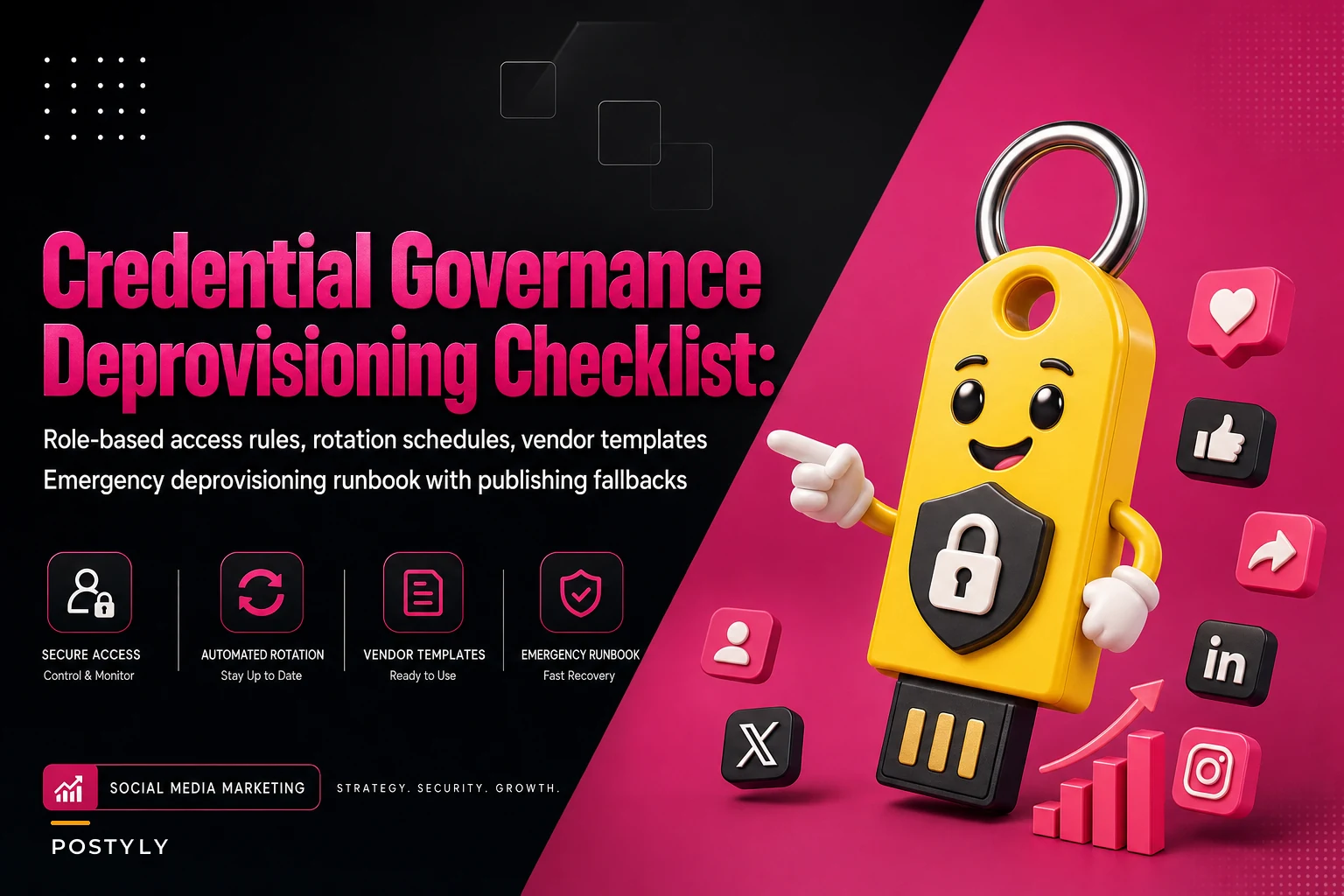

Most social teams don't think about credential governance until something specific forces the issue — an agency contractor leaves, nobody rotates the shared password, and three weeks later a scheduled post goes out from an account that person still had access to. Or worse, someone who was let go angrily posts from the brand handle before anyone notices the login still works.
This is the gap nobody budgets for. Teams build elaborate approval workflows and content calendars, but the actual keys to the accounts live in a shared password manager vault that half the company can open, with login details unchanged since 2021.
What follows is focused on the credential side specifically. Not security theater — the practical operational rules that stop a departing freelancer, a compromised vendor tool, or a messy handoff from becoming a public incident.
Why social credentials are uniquely messy
Social accounts don't follow normal IT access patterns, and that's really the root of most problems.
-
Shared logins still exist. Many brand accounts, especially older ones, were set up under a single email with one password everyone shares. Platform "business manager" tools help, but legacy handles often still have a master login floating around.
-
Access lives in multiple layers. There's the native platform login, the scheduling tool connection, the analytics tool's API token, the ads manager role, and sometimes a third-party inbox tool. Removing someone from one doesn't remove them from the others.
-
Vendors hold tokens you forget about. When you connected that UGC-sourcing platform 18 months ago, it got an OAuth token. That token usually doesn't expire on its own, and nobody tracks which vendors hold what.
This tends to happen when a mid-size team grows from 4 people to 15 over a year, adds two agencies and three SaaS tools, and never re-maps who can actually touch what. The access sprawl is invisible until something breaks.
The real cost when deprovisioning fails
A realistic example. A DTC brand with roughly a dozen social handles parted ways with a freelance community manager. The offboarding checklist covered email, Slack, and the project tool — all revoked same day. What it missed: the freelancer had been added as an admin on the Meta Business account six months earlier to troubleshoot a pixel issue, and that was never logged anywhere.
Stop managing your social media the hard way.
Postyly helps you plan, schedule, and analyze every post with precision.
- Multi-platform scheduling
- Real-time engagement tracking
- Automated performance reports
No credit card required
Nothing malicious happened. But two months later the brand needed to add a new agency, hit a "too many admins" wall, and found four stale admin accounts — including the freelancer's. Cleaning that up ate about a day and a half of the ops lead's time, plus a nervous week of wondering whether anything had been accessed.
The dollar cost was small. The risk exposure was not. An admin-level ghost account is one phishing email away from a brand-wide incident, and the time-to-discovery was 60+ days. That number is what should actually concern you — not whether anything happened, but how long it would've taken to know.
Role-based access: stop assigning "admin" by default
The single biggest fixable mistake is over-granting. Someone asks for access to do one task, gets full admin because it's faster than figuring out the right role, and never gets downgraded.
| Role | Can do | Cannot do | Who gets it |
|---|---|---|---|
| Owner | Add/remove users, change recovery, delete account | — | 2 people max, usually ops lead + one backup |
| Admin | Manage roles below them, connect tools | Change account recovery/ownership | Senior social manager, security contact |
| Publisher | Create, schedule, publish content | Add users, change settings | Full-time content team |
| Contributor | Draft, submit for approval | Publish directly | Junior staff, contractors |
| Analyst | View insights, export data | Any posting | Reporting, paid analysts |
| Vendor (scoped) | Specific task via scoped token | Everything else | Agencies, SaaS tools |
The rule that matters most: Owner count stays at two. Every brand with credential chaos had six or more people with full ownership rights "just in case." Two owners, documented, is enough for continuity without turning the account into a free-for-all.
For the day-to-day team structure that supports this, it helps to already have clear role definitions in your repeatable social content operations with defined SLAs and roles — access roles should map directly onto operational roles, not get invented separately.
Credential rotation that people will actually follow
Rotation policies fail because they're too aggressive. "Rotate every 30 days" sounds secure and gets ignored by week three because changing a shared login breaks every connected tool.
-
Trigger-based rotation first, calendar-based second. The most important rotations aren't scheduled — they're triggered by events: someone leaves, a vendor contract ends, a device is lost, a phishing attempt is reported. Rotate immediately on these. Always.
-
Quarterly rotation for shared/master credentials. For any login still shared by humans, rotate every 90 days and re-verify the recovery email and phone at the same time.
-
Annual token audit for vendors. Once a year, list every active OAuth connection on each account and revoke anything unrecognized or unused in the last six months.
-
Recovery info rotation. This is the forgotten one. The recovery email and phone number are the real keys. If those belong to a former employee's work email or personal cell, rotating the password means nothing. Audit recovery paths every rotation cycle.
The mistake pattern: teams rotate the password but leave a personal phone number as the 2FA recovery method from three roles ago. When that number gets reassigned by the carrier, you've effectively handed account recovery to a stranger.
Emergency deprovisioning: the flow you run when someone leaves angry
Normal offboarding is a checklist. Emergency deprovisioning — a termination, a suspected compromise, a contractor who turned hostile — is a race. You need the sequence pre-documented, because improvising under pressure is exactly how accounts get missed.
Fast-path order, designed so the highest-risk access gets cut first:
-
[ ] Change the master/recovery email password and 2FA first — this blocks re-entry even if other steps lag
-
[ ] Remove the person as Owner/Admin on every platform's business manager (Meta, LinkedIn, TikTok, X, YouTube/Google)
-
[ ] Revoke their access in every scheduling and publishing tool — not just remove them as a user, but confirm they can't log in via SSO or a cached session
-
[ ] Check for app-specific passwords and active API tokens tied to their account
-
[ ] Rotate any shared passwords they knew, even ones they weren't "supposed" to have
-
[ ] Re-verify recovery email and phone aren't set to their contact details
-
[ ] Pull the recent access/audit log for each platform to confirm nothing unusual in the 48 hours before offboarding
-
[ ] Confirm no scheduled posts are queued under their user that could fire later
-
[ ] Document who did what, and when — timestamp everything
Here's a quick visual of the emergency deprovisioning flow.
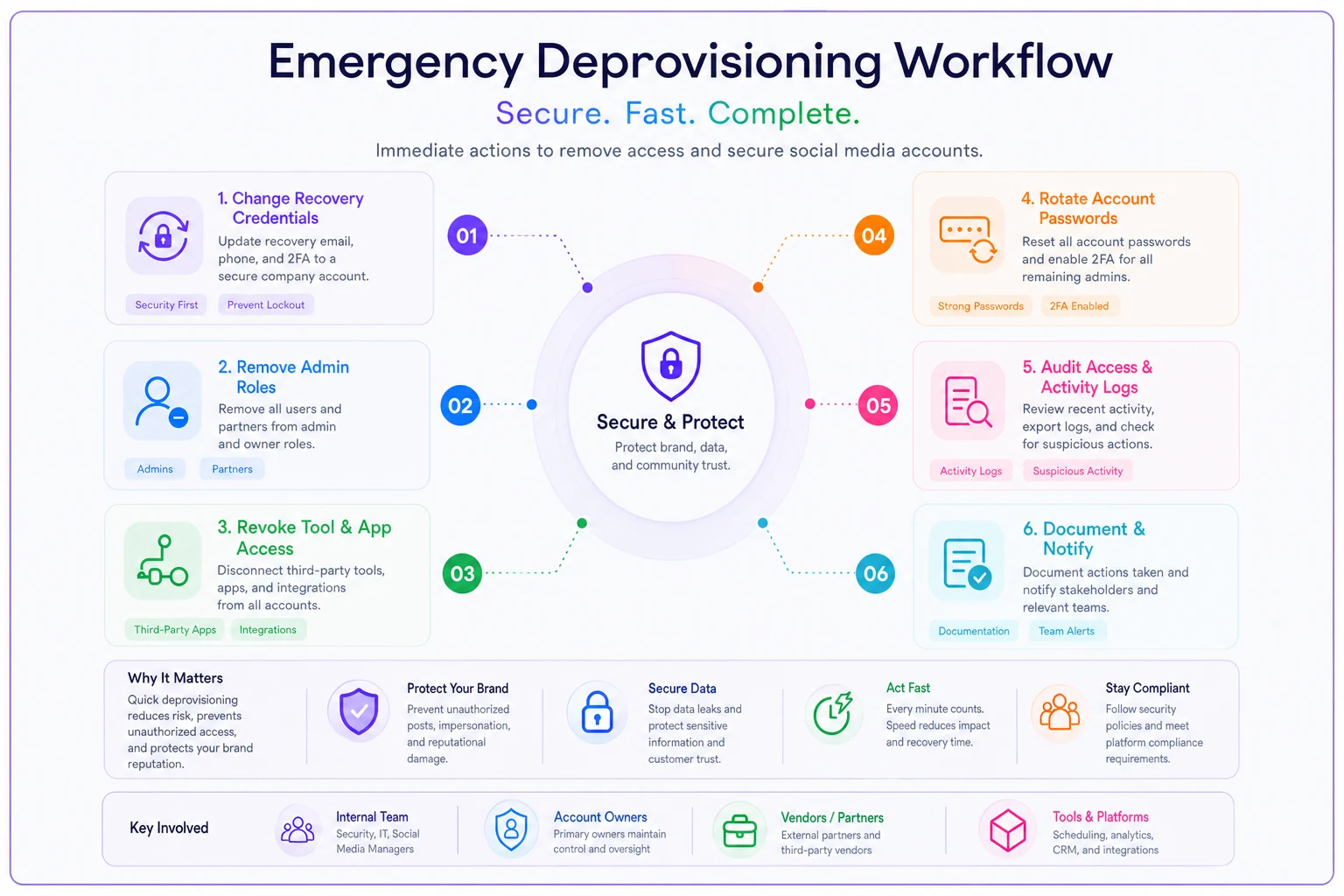
That last point about scheduled posts catches teams off guard regularly. On some platforms, content a user queued stays queued after they're removed. A hostile contractor can schedule something for next week and walk out calmly. Scanning the publish queue is non-negotiable during emergency offboarding, and it pairs naturally with the final-check discipline in a solid pre-publish and version-control workflow.
When to treat an exit as "emergency" vs. routine
-
The exit is involuntary or contentious
-
The person had Owner or Admin access
-
There's any suspicion of compromised credentials
-
A vendor relationship ended on bad terms
Routine same-week deprovisioning is fine for amicable exits of Contributor or Analyst-level users who never touched settings. Reserve the urgency for where risk actually lives.
Vendor access templates: scope it before you connect it
Vendors are where governance quietly collapses. Agencies and SaaS tools get broad access during onboarding because it's easier, and that access outlives the relationship by months or years.
-
Exact scope — which accounts, which role, which permissions. Never "admin so they can figure it out."
-
Time boundary — access expires on a specific date, tied to the contract end. If it needs renewing, that's a deliberate decision, not a default.
-
Named individuals, not shared vendor logins — you want to know which person at the agency has access, so you can cut one without breaking the whole relationship.
-
Offboarding clause — the contract states access is revoked within 24 hours of the engagement ending, confirmed in writing by both sides.
-
Token inventory entry — every vendor connection gets logged with the date, the scope, and the internal owner responsible for reviewing it.
Vendors rarely remove their own access when a contract ends. They're not malicious, they're just busy. If you don't revoke it on your side, it persists indefinitely. Treat vendor offboarding as entirely your responsibility.
This connects to procurement discipline more broadly — the same rigor applied when evaluating a tool's integrations should apply to how you scope and eventually retire its access. For vendors handling user-generated or sourced content, access scoping also overlaps with a proper UGC rights and releases process, since the same vendor often touches both the accounts and the asset library.
The incident playbook for a compromised publishing account
If an account is compromised — a strange post goes live, login alerts fire, followers get DMs you didn't send — the first 30 minutes determine how bad it gets. A pre-written playbook makes it survivable. Improvisation under pressure makes it worse.
-
Confirm it's real, fast. Is content actually unauthorized, or did a scheduled post just look off? Verify before triggering the full response.
-
Lock it down. Change the password and recovery credentials immediately. Force-logout all sessions if the platform allows it. Revoke suspicious connected apps.
-
Assign the incident lead. One named person owns decisions. Everyone else supports. Committee-based crisis response wastes the critical window.
-
Preserve evidence. Screenshot the unauthorized activity, note timestamps, pull the audit log before cleaning anything up. You'll need this for the platform and possibly legal.
-
Remove the damage. Delete unauthorized posts, respond to affected users if needed, correct the record.
-
Notify internally. Comms, legal, and leadership get looped per a pre-agreed threshold — figure out who needs to know before the crisis, not during it.
-
Post-incident review. Within 48 hours, document how access was gained and close that gap. Most compromises trace back to a credential governance failure someone had already identified and deferred.
The technical breach is almost always secondary. The actual root cause is a governance gap someone knew about — a stale admin, an un-rotated recovery email, a vendor token nobody tracked. The playbook handles the fire; the governance above prevents the next one.
Who should NOT over-engineer this
If you're a two-person team running three accounts with no contractors, you don't need six role tiers and quarterly rotation ceremonies. You need a password manager, 2FA on everything, and a written note of who owns recovery. Building enterprise governance on a tiny team creates overhead you'll abandon in a month, which is worse than lighter controls you'll actually maintain.
The full framework earns its weight once you're past roughly 8–10 people, working with multiple agencies, or running more than a handful of connected tools. Below that threshold, keep it lean. Above it, the sprawl will find you eventually.
Putting it into a maintainable rhythm
Credential governance isn't a project you finish — it's a cadence you keep. Monthly: check for stale users after any departures. Quarterly: rotate shared credentials, re-verify recovery paths, review vendor tokens. On every exit: run the right deprovisioning flow for the risk level. After any incident: close the specific gap that let it happen.
The teams that avoid public credential incidents aren't the ones with the most sophisticated security stack. They're the ones who decided — on an ordinary Tuesday, not during a crisis — exactly who holds the keys, how those keys get rotated, and what happens the moment someone needs to be cut off. Write it down before you need it. The version you improvise at 11pm with a hostile ex-contractor is never the version you'd have wanted.
The teams that avoid public credential incidents aren't the ones with the most sophisticated security stack. They're the ones who decided — on an ordinary Tuesday, not during a crisis — exactly who holds the keys, how those keys get rotated, and what happens the moment someone needs to be cut off. Write it down before you need it. The version you improvise at 11pm with a hostile ex-contractor is never the version you'd have wanted.
Ready to amplify your brand’s voice?
Join 2,500+ marketers using Postyly to save time, boost engagement, and grow their audiences effectively.